


Recover Deleted Messages
2.8132.00 Reviews
App Specs
- Version
- 5.6
- Updated On
- License
- Free
- Downloads
- 1,000,000+
- Developer
- SwiftBiz Apps
- Categories
- Communication
- Platform
- Android, iOS
Screenshots

 Analysis by AppCompare
When a message disappears, the first question is whether a recovery app can help at all. Recover Deleted Messages is a free communication app from SwiftBiz Apps that aims to keep a record of content it can see through notifications, so its usefulness depends on how messages reach your phone and what you want to retrieve. I’d treat it as a possible safety net, not as a guaranteed way to restore anything that was deleted before the app was set up.
What notification-based recovery can—and cannot—do
The important distinction is that this kind of tool is not the same as restoring a full chat backup. It can only work with messages that appear in notifications while its monitoring is active. If a conversation is muted, message previews are hidden, notifications are disabled, or the sender’s text arrives in a way that produces no visible notification, there may be nothing for the app to save. A message deleted before installation is also outside the practical reach of a notification-based approach.
That makes timing the first useful tip: install and configure the app before you need it, then check that the messaging apps you care about are allowed to show notifications. A quick test with a low-stakes message can help you understand whether the expected content is being captured. I wouldn’t use a sensitive conversation as the first test, and I wouldn’t assume that every kind of attachment or message format will be preserved in the same way.
Choosing it over backups and built-in recovery
Compared with the usual alternatives, this app serves a narrower purpose than a cloud or device backup. A backup can be a better choice if you need to restore an entire conversation or move data to a replacement phone, although restoring one may involve replacing more recent chat history. Recover Deleted Messages is more suited to checking notification content after a particular item disappears, without treating the whole conversation as something to roll back.
There’s a trade-off: a notification record can be convenient for an isolated missed message, but it is not a dependable archive. If the message never appeared in a notification, or if you need the original attachment rather than a record of its arrival, a backup or the messaging service’s own recovery options are more appropriate. I’d keep regular backups for anything important and view this app as a secondary tool rather than my only plan.
A realistic way to use it
Imagine a family member sends an address while you’re walking into a shop. You glance at the notification, clear it by mistake, and later realize you need the details. If the app was already set up and the notification showed the message content, checking its saved entries may be quicker than asking the sender to resend it. That is a sensible, everyday use: recovering a small piece of information you happened to see arrive.
The same workflow is less suitable for a long conversation, a message that was never previewed, or an image you need in its original quality. For those cases, I’d return to the chat, ask the sender to share it again, or use a backup route. This distinction helps avoid expecting a notification log to behave like a complete messaging database.
Worth Reading Before You Choose

Flipboard Shows What News Apps Must Do Beyond the Feed

Switching to Android Auto Means Rethinking Your Driving Routine

Google Calendar Makes a Crowded Week Easier to Manage

Ludo King Makes the Most of the Minutes Between Plans

Baby Panda World Brings Quick Play to Modern Phones, but Its Game Library Feels Busy

ESPN’s Live Game View Makes Following Close Games Easier
Privacy and control deserve a deliberate check
Because the app’s approach depends on notification access, I would think about where message previews appear and who can see the phone. A notification can expose private text on a lock screen, and a tool that records notification content may make that information easier to revisit later. Review the preview settings on your device and consider whether you want sensitive conversations included before relying on the app.
I’d also make a habit of checking saved content rather than letting it become an indefinite pile of old messages. Keep only what is useful, and remove anything you would not want someone else to see if they accessed your phone. That is a practical privacy habit for any notification-based recovery tool, not a reason to assume the app is unsafe.
Who is likely to find it useful
This is most appealing to someone who frequently clears notifications, wants a convenient way to check a short deleted text, and is comfortable allowing notification access. It may also help a person who uses several messaging apps and wants one place to review captured notification content, provided those services actually display the relevant text in notifications.
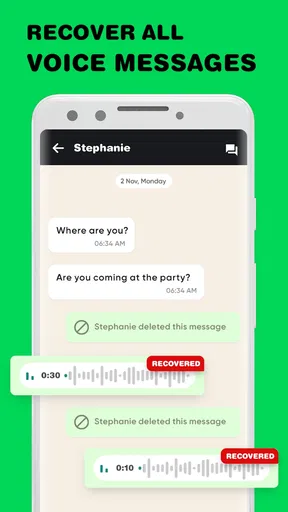
I’d skip it if you want guaranteed recovery of messages deleted before setup, full chat restoration, or dependable recovery of every image, audio file, and document. It is also not a good fit if you keep message previews hidden for privacy or do not want another app handling notification content. In those situations, built-in backups, the messaging app’s own tools, or simply asking the sender to resend the item may be the better answer.
The app is rated for Everyone, but that does not remove the need to think about privacy when message content is involved. Its average rating is 2.9 from around 2.6 thousand ratings, so I’d approach it with realistic expectations and test it on nonessential messages before depending on it. It has over one million installs, but popularity alone does not make notification capture equivalent to a full backup.
Accessibility and day-to-day comfort also depend on the phone’s own settings. Clear notification text can be easier to scan than reopening several conversations, but a busy log may be harder to navigate if you rely on larger text, screen magnification, or assistive controls. I would try the app with the display and navigation settings you normally use, then see whether finding one specific item feels manageable rather than assuming the minimalist layout will suit everyone.
For someone with limited dexterity, the benefit may be avoiding repeated trips between messaging apps to check a recently deleted snippet. The counterpoint is that configuring notification access and sorting through entries still requires some interaction. If tapping small controls or navigating a changing list is difficult, a trusted person can help with the initial setup, but I would not share access to private notifications casually.
Situational access matters too. A notification-based record is most useful when the phone is online and notifications are allowed to arrive; it cannot make a message visible if the device never received or displayed it. If you often use silent mode, hide previews, or keep a conversation muted, consider those choices before expecting recovery. Those settings may be worthwhile for focus or confidentiality, but they can reduce what a notification-based app can capture.
Storage and organization are worth considering as well. When you are searching for one crucial detail, a record limited to notification content can be faster than restoring a whole chat. But if you leave every captured item untouched, old entries may make that quick check less convenient. I’d use a simple routine: look for the missing item soon after it disappears, confirm whether the content is complete, and avoid treating the log as a permanent record.
Getting Started with the App
First things first, downloading Recover Deleted Messages was a breeze. It’s available for both Android and iOS, so no worries about compatibility here. Once you have it installed, the setup process is pretty straightforward. You just need to grant it the necessary permissions to access your notifications, which is crucial for it to work its magic.
Now, I know what you’re thinking: “Permissions? Sounds sketchy.” But rest assured, the app doesn’t snoop around your private data. It simply keeps an eye on notifications to catch any incoming messages, even the ones you end up deleting by accident.
The User Interface
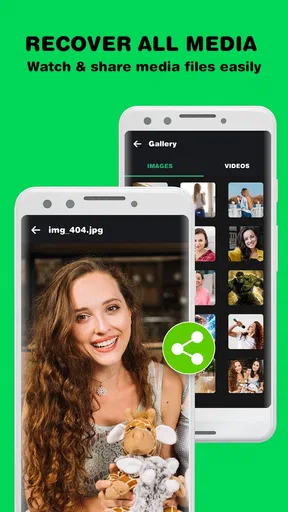
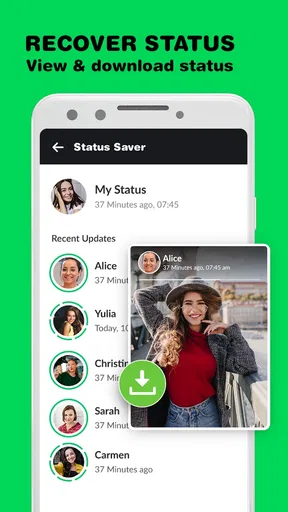
The user interface is clean and intuitive. You won’t need a degree in rocket science to navigate through it. Everything is laid out clearly, and you’ll find yourself at home pretty quickly. There’s a main dashboard where you can see all your recovered messages, and you can filter them by app, which is super handy.
The design is minimalist, with just the right amount of features to get the job done without overwhelming you. This is perfect for someone who just wants to recover their messages without a ton of extra fluff.
How It Works
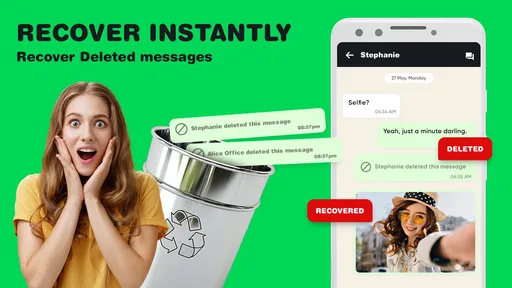
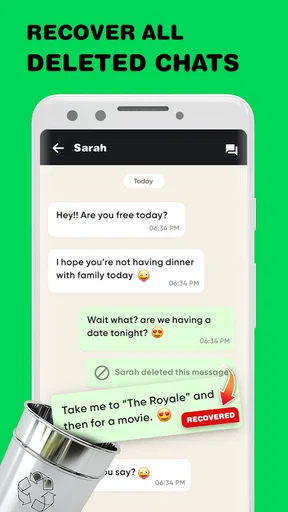
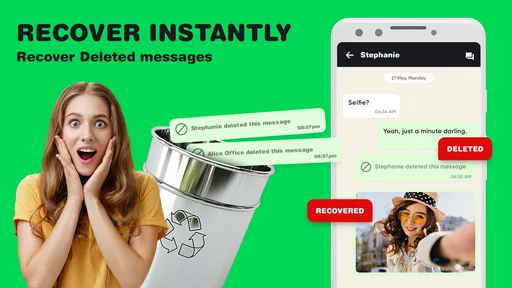
So, let’s talk about the techy side of things. The app works by monitoring your notifications. Whenever a message pops up, it saves the content. If you delete the message later, the app has already stored it for you. It’s like having a backup that you didn’t even know you needed!
I tested it with a few different messaging apps. Whether it was WhatsApp, Facebook Messenger, or even Instagram, the app managed to recover deleted messages without a hitch. It’s like having a safety net for your social interactions.
Performance and Reliability
Performance-wise, Recover Deleted Messages is solid. It doesn’t hog your phone’s resources, which means you won’t notice any lag or slowdowns. I ran it alongside my usual apps, and it was smooth sailing all the way.
Reliability is key for an app like this. You want to be sure it’s capturing your messages accurately. During my testing, it didn’t miss a beat. Every deleted message was right there, waiting for me to review. It’s comforting to know you have that extra layer of protection.
Is It Worth It?
So, who would benefit from using this app? Honestly, anyone who’s ever had that mini-heart attack after deleting a message. Whether it’s a sweet text from your significant other or an important work message, having the option to retrieve it is invaluable.
It’s especially useful for those of us who are a bit clumsy with our phones (guilty as charged). The peace of mind it offers is worth its weight in gold. No more regrets about swiping away a message too quickly!
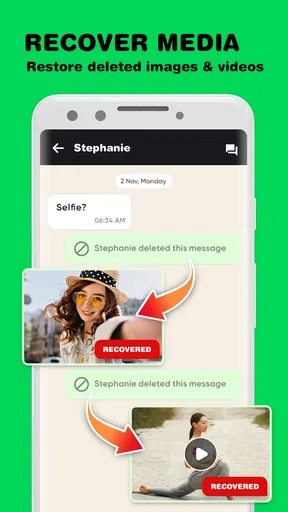
One thing to keep in mind, though, is that the app works best with text-based messages. If you’re hoping to recover images or videos, you might need to look elsewhere. But for plain old text, it’s a lifesaver.
Final Thoughts
In conclusion, Recover Deleted Messages does exactly what it promises. It’s a reliable, straightforward app that takes the stress out of accidental deletions. The ease of use and seamless performance make it a must-have for anyone who values their digital communications.
If you’re someone who’s prone to the occasional mishap with messages, give it a try. You’ll thank yourself the next time you accidentally delete something important. Remember, it’s not just an app; it’s your new best friend when it comes to message recovery!
Practical expectations before you install
The app is free to download, while in-app purchases range from $3.99 to $99.99 per item. I’d start by deciding what you actually need before spending anything: if your goal is simply to check occasional notification text, try the basic workflow first. The current version is 5.6, and it requires Android 7.0 or later, so checking the operating system is an easy first step for Android users.
My overall advice is to regard notification access as the key trade-off. It can make a deleted snippet easier to find, but only when the message was visible to the phone in the first place, and it asks you to balance convenience with the privacy of previews. SwiftBiz Apps has made the idea straightforward to understand; the remaining question is whether that limited kind of recovery matches your habits.
For a casual user who wants a convenient second chance with text notifications, it may be worth trying. For anyone who needs comprehensive recovery, private-by-default handling, or reliable restoration of media and complete conversations, I’d choose a backup-first approach instead. That distinction is what makes this app useful in the right situation—and a poor substitute for broader recovery tools in the wrong one.
Pros
- Recovers messages efficiently
- User-friendly interface
- Supports multiple file types
- Fast scanning process
- Secure data recovery
Cons
- Limited free version features
- Requires internet for full functionality
- Ads in free version
- Not compatible with all devices
- May not recover all deleted data
FAQs for Recover Deleted Messages
How does Recover Deleted Messages work?
Recover Deleted Messages works by scanning your device's storage for traces of deleted messages, including SMS, MMS, and chat app messages. Once the scan is complete, the app presents you with a list of recoverable messages that you can restore. It's important to initiate the recovery process as soon as possible to enhance the chances of successful retrieval.
Is Recover Deleted Messages safe to use?
Yes, Recover Deleted Messages is designed with user privacy and security in mind. The app does not store or share your recovered messages with third parties. However, it is advisable to download the app from official sources like Google Play Store or Apple App Store to ensure you have a legitimate version.
Can Recover Deleted Messages retrieve messages from all chat apps?
Recover Deleted Messages supports recovery from a wide range of messaging platforms, including popular apps like WhatsApp, Messenger, and more. However, compatibility might vary depending on the device and operating system version. For the best results, check the app's description for specific compatibility details before downloading.
Do I need to root or jailbreak my device to use Recover Deleted Messages?
No, you do not need to root or jailbreak your device to use Recover Deleted Messages. The app is designed to work on standard Android and iOS devices without requiring any modifications. This makes it accessible and safer for users who prefer to keep their devices unmodified.
What are the limitations of Recover Deleted Messages?
While Recover Deleted Messages offers robust recovery options, there are a few limitations. Recovery success depends on the time elapsed since deletion, and older messages may be harder to recover. Additionally, if data has been overwritten by new information, recovery may not be possible. It's best to use the app promptly after deletion for optimal results.


